Information Technology

Information Technology Services

Pepperdine University offers a wide variety of services to enhance both work and learning. Read the descriptions below and click on the links for more information about these services and how to use them.

Information Technology (IT) embraces Continuous Service Improvement (CSI) which means continually improving the service that IT provides to the University community. CSI is based on a flexible support structure and incorporates the basic concepts of Proactivity, Ownership, and Measurement in all of IT's initiatives.

Attachments

Pepperdine University's large attachment server allows you to send large, encrypted attachments. This service is also useful for sending very large files, up to 20GB per message.

Cisco Telephones at Pepperdine (faculty and staff only)

Information Technology's Systems and Networking staff have begun a multi-year project to replace the University's existing telephone system with a new platform from Cisco that merges voice, video, and web conferencing.

Cisco Unified Personal Communicator (CUPC)

PLEASE NOTE: This technology is only available to select faculty and staff for testing. IT staff will notify you when this technology becomes available campus-wide. CUPC is a telephone system from Cisco that merges voice, video, and web conferencing. The new phones will allow users to easily communicate and collaborate with instant messaging, quick audio and video conferences, desktop sharing, and phone calls from computer to computer or computer to land line. 

Course Evaluations

Course evaluations are part of Pepperdine University's commitment to excellence in teaching and learning. The evaluations provide useful feedback, which faculty and schools use to improve the quality of instruction.

Condo Owners Technology Information

Condo owners should visit the Condo Owners Tech page to find assistance with there technology needs. Condo owners are responsible for the maintenance and operation of personally owned equipment.

Device Management

Device Management is a proactive computer patching service that ensures our University computer systems and network are safe, secure, and available for teaching, learning, research, and projects.

Email Distribution Lists

Pepperdine offers several options for creating email distribution lists. Learn more about what kind of list is right for you and follow the instructions to create your list.

Elluminate

Elluminate is a virtual classroom environment geared toward bringing remotely located people together over the Internet to collaborate on projects and tasks.

Excel

Microsoft Excel is a spreadsheet tool which allows users to create spreadsheets to analyze and organize data. Users can also use Excel to create tables, charts, and visuals to represent data.

Google Apps

Google Apps is a set of Google services tailored specifically for Pepperdine community members. Services include Google-powered email, calendars, document sharing, instant messaging, and mobile device services.

GoPrint - Printing Services for Students

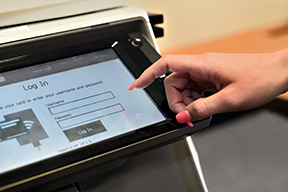
In Drescher and Payson libraries and computer labs, the GoPrint program provides printing services and controls the printers. GoPrint works by creating a paused print queue on the computer that is used as a Release Station. When a person chooses a GoPrint printer, their job is sent to a paused printer queue where it sits until the person releases it by swiping an ID card with credit on it.

iPad Research Study

Pepperdine University's Information Technology administration and Technology and Learning group are working with Pepperdine faculty to assess the effectiveness of the iPad as a learning tool.

Kronos

Kronos provides electronic timecards to Pepperdine employees. This tool allows users to create, edit, and approve timecards.

Lynda.com

(Faculty and staff only.)

Lynda.com is an online training library and professional-development software which provides guides and tutorials for over 700 software products. Pepperdine users must register for a free, two-week training period to use this website.

MeetingPlace

MeetingPlace is a tool which allows users to coordinate, schedule, and hold virtual meetings. This technology uses audio, video, and web conferencing capabilities to enhance the virtual conference experience. 

MyApps

(Coming soon!) MyApps is a tool that allows users to access programs and applications over the Pepperdine network instead of installing them on their own computer. 


Network Drives

Pepperdine offers network drive space to faculty and staff to share critical documents and projects. Files stored on this service are backed up on a daily basis and rotated off-site on a weekly basis.

Office 2010/2011

As of January 18, 2011, Pepperdine Information Technology has made the newest versions of Microsoft Office available to faculty and staff. The University community can now upgrade to either Office 2010 for Windows or Office 2011 for Mac depending on their operating system. The upgrade is optional and users can feel free to upgrade to the new versions of Office at any time.

Outlook

Microsoft Outlook is the Windows desktop client of Pepperdine's messaging system. It includes customizable email, scheduling, task and contact tracking tools to help efficiently manage office activities.

PowerPoint

Microsoft Powerpoint is a presentation creation tool that allows users to create professional-looking presentations for business and classroom settings.

Project Management Office

Project Management Office (PMO), is a team within IT that promotes project management best practices. The PMO provides performance metrics for IT's portfolio of projects. The office also recommends project management training and other project management related resources as directed by the Office of the Chief Information Officer and Associate Chief Information Officer.

Sakai

Sakai is Pepperdine's learning management system which includes tools such as blogs, forums, and polls to help students reflect, communicate, and provide peer to peer feedback. Staff can also utilize Sakai to create project sites to manage research projects or committee work.

SurveyMonkey

SurveyMonkey is a customizable online survey creator tool used to gather comprehensive feedback and data on projects and events. Pepperdine students, staff, and faculty can receive a 25 percent discount on their yearly subscription. For existing Pepperdine account holders the discount will be applied automatically to their account on their next renewal date. To create a new account visit http://www.surveymonkey.com. To receive the discount, you must register the account with a Pepperdine.edu email address and the discount will be applied at checkout.

TurnItIn

Turnitin.com is an online plagiarism detection service which provides a detailed assessment of originality on any submitted work by performing a search for textual similarities to other works in academic journals, on the Internet, and within its own database of submitted work.

WaveNet

WaveNet is a secure, online portal that connects the Pepperdine University community to personal and professional information such as paychecks, benefits, and retirement account information. Students use WaveNet to register for classes, check grades, make payments, access numerous library research databases, and more.

Web Deposits for ID Cards

The One Card Web Deposit at Pepperdine University is a new and free online service designed to provide students, faculty, and staff the convenience of adding money to their campus ID cards anywhere and anytime.

Webmail

Web-based email allows users to access their email, calendar, and contact list from any Internet connection without the use of an external client. To log into your email, visit: http://email.pepperdine.edu.

Word

Microsoft Word is word-processing software which allows users to create, share, and edit documents.

Anywhere Storage

Anywhere Storage (Xythos) is an online storage tool. Users can access up to 1GB of personal files securely at anytime, from anywhere, via the Internet.