When Tech Fails, What's Your Plan B?
2026 Edition
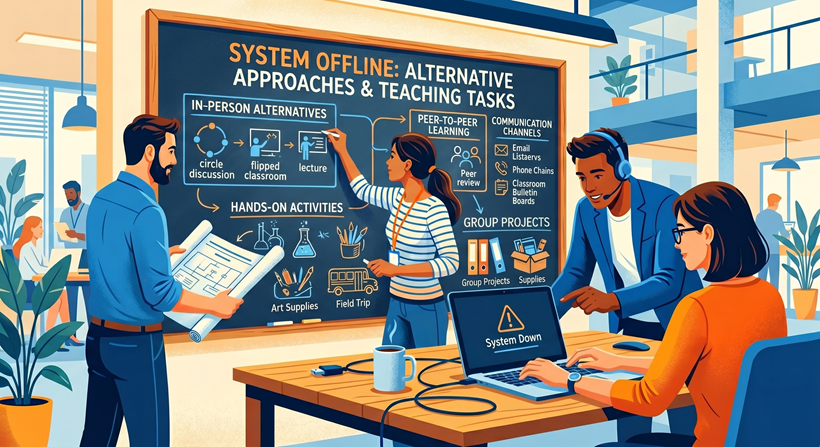
Figure: Image generated from Google Gemini, May 08, 2026, from the prompt, "Create a vector graphic of people sketching on a chalkboard some alternative activities and approaches to accomplish teaching tasks when a learning management system is offline."
In 2020, we shared a blog titled "When Tech Fails, What's Your Plan B?" With the recent LMS outage, we're offering an update.
Outages Happen: What's Your Plan B?
Whether you lose power due to a California rolling blackout, your personal internet connection dies, or a pivotal tool experiences an outage, it's a matter of when, not if, an issue will happen. All is not lost, of course, if you are prepared.
Alternate Tools When Services Are Down
Pepperdine IT works hard to maintain its services and systems through routine preventive maintenance, but in this connected world, we can experience unexpected outages beyond our control. Yesterday (May 7, 2026), we experienced a major outage of our LMS. In 2017, a typo by an Amazon employee took down a giant portion of the global internet for over four hours. On several occasions, Pepperdine campuses have been forced to close due to severe weather or wildfires. Issues happen, so consider other approaches.
- Campus Class Alternatives: If a campus is closed, professors can shift to learning tools, like the LMS, to administer assignments, communicate, share materials, and more. Instructors can host live lectures via Zoom or Google Meet, or record lectures with Zoom or Panopto, and share recorded lessons in lieu of a live lecture.
- LMS Alternatives: If the LMS is unavailable, instructors can still meet online via Zoom or Google Meet, and communicate via the class distribution email lists. Professors can ask students to record reflections or create presentations with Panopto Assignment Folders. Assessments can be delivered through alternative tools like Pepperdine Qualtrics (see "Qualtrics Scoring" and "Qualtrics File Upload Question") or Google Forms (see "Create a quiz with Google Forms" and "Allow people to add attachments to forms"). Online discussions can happen via Google Chat, Google Docs, or email.
- Meeting Tools and Collaboration: Pepperdine University offers both Zoom and Google Meet for online meetings, whether for a class or a business meeting. If one is unavailable, it's easy to switch over to the other service. And if a campus is unavailable, collaboration can continue in Google Workspace.
For additional suggestions, please refer to our Academic and Business Continuity resources.
Address Your Connectivity
A reliable internet connection is key to conducting business and classes, but even the best networks fail or experience disruptions. If your internet connection goes down, consider the following:
- Home Router: Is your home connectivity working, but you're frequently dropping out of meetings? Move as close to your home wireless router as possible or connect directly with an Ethernet cable. Check your router for firmware updates, and if it's more than 5 years old, it may be time for a newer one.
- Bandwidth Bandits: Whether at home, on campus, or in the office, you need to be aware of competition on the network or on your own device! Your computer may be silently downloading updates or backing up your data. Be proactive: check for and install updates regularly, and restart your computer the day before your classes or big meetings. If at home, ask family to schedule streaming around your class time. Check out additional tips on Internet Performance and Reliability.
- Mobile Phone Readiness: Is your cellular device charged and ready? Do you have the appropriate software, like the Zoom app, Google Meet, and SecureConnect/DUO, installed and configured? Even if your internet connection drops, you could switch to cellular or dial into online meetings.
- Nearest Campus: Have you identified the closest Pepperdine campus to your home? Have you confirmed access to that campus if you need to drive there at the last minute to continue your class? Be ready to relocate to Calabasas, Irvine, Malibu, or West LA, if nearby or needed.
- Alternate Location: If a Pepperdine campus is not feasible or available, is there another nearby location that has internet access? Whether a coffee shop or local library, places with free WiFi could prove helpful in a pinch.
Final Thoughts
Prepare your audience for emergencies. For example, professors should consider whether a brief statement in the class syllabus could help students understand what they are expected to do in the event of a class disruption. For example, how long do you expect them to attempt to connect at the start of a class (15-20 minutes)? In the event of class cancellation, is there a default activity they should be prepared to work on in lieu of the live class period (a reading, assignment, or discussion forum)? By proactively addressing expectations, you can reduce student concerns and confusion in the event of a major disruption. And for staff members, identify the work expectations about where and how to report for work in the event of a disruption or emergency.
We in IT hope that something here helps you as you prepare your Plan B (or C or D).