Program Page
Description
Program page templates are specially designed to accommodate the unique structures of degree program information are are restricted to that use. They are primarily for a prospective student audience to provide tehm with an overview of each aspect of the program and school.
Example Program Page Layout (split in two)
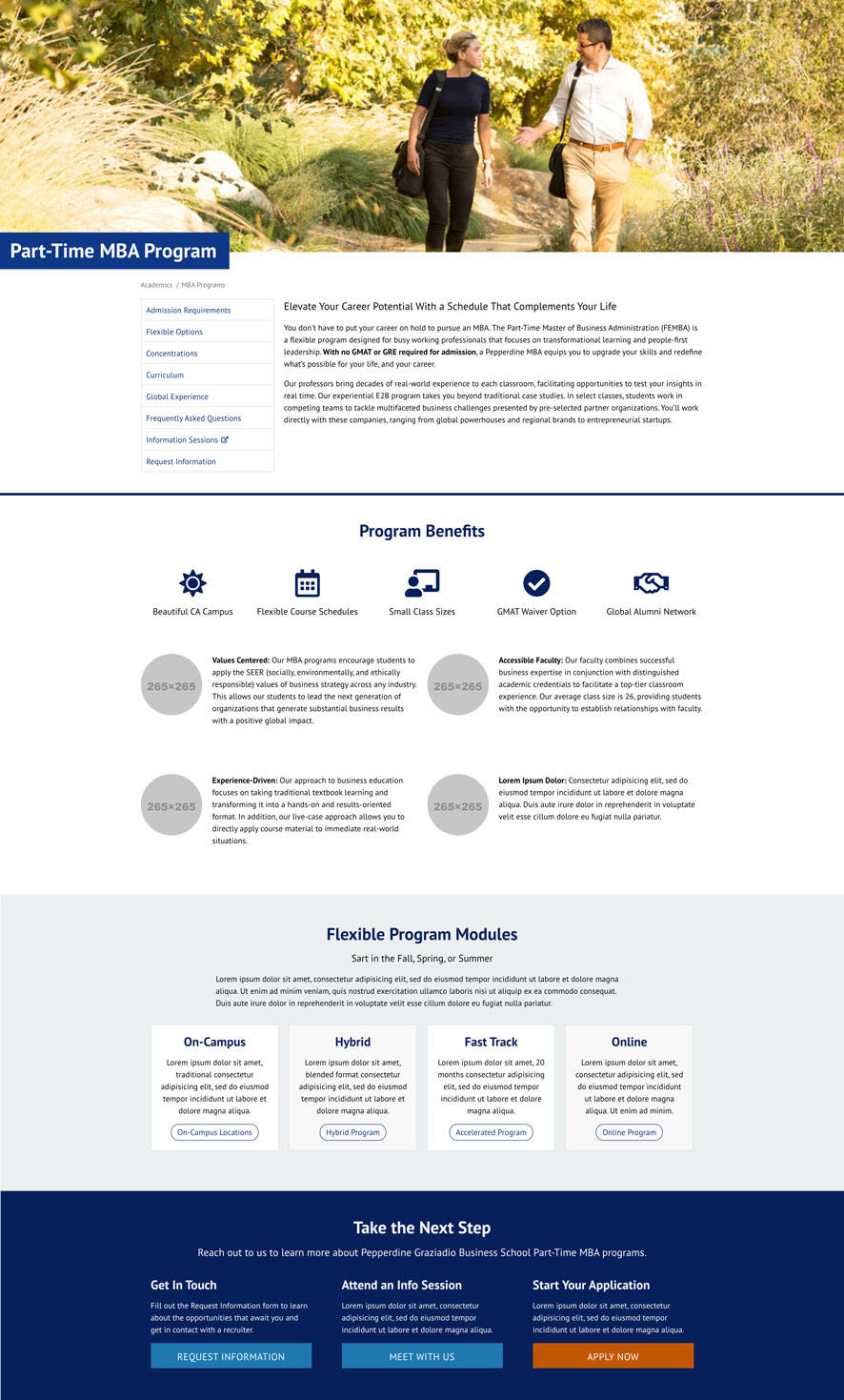
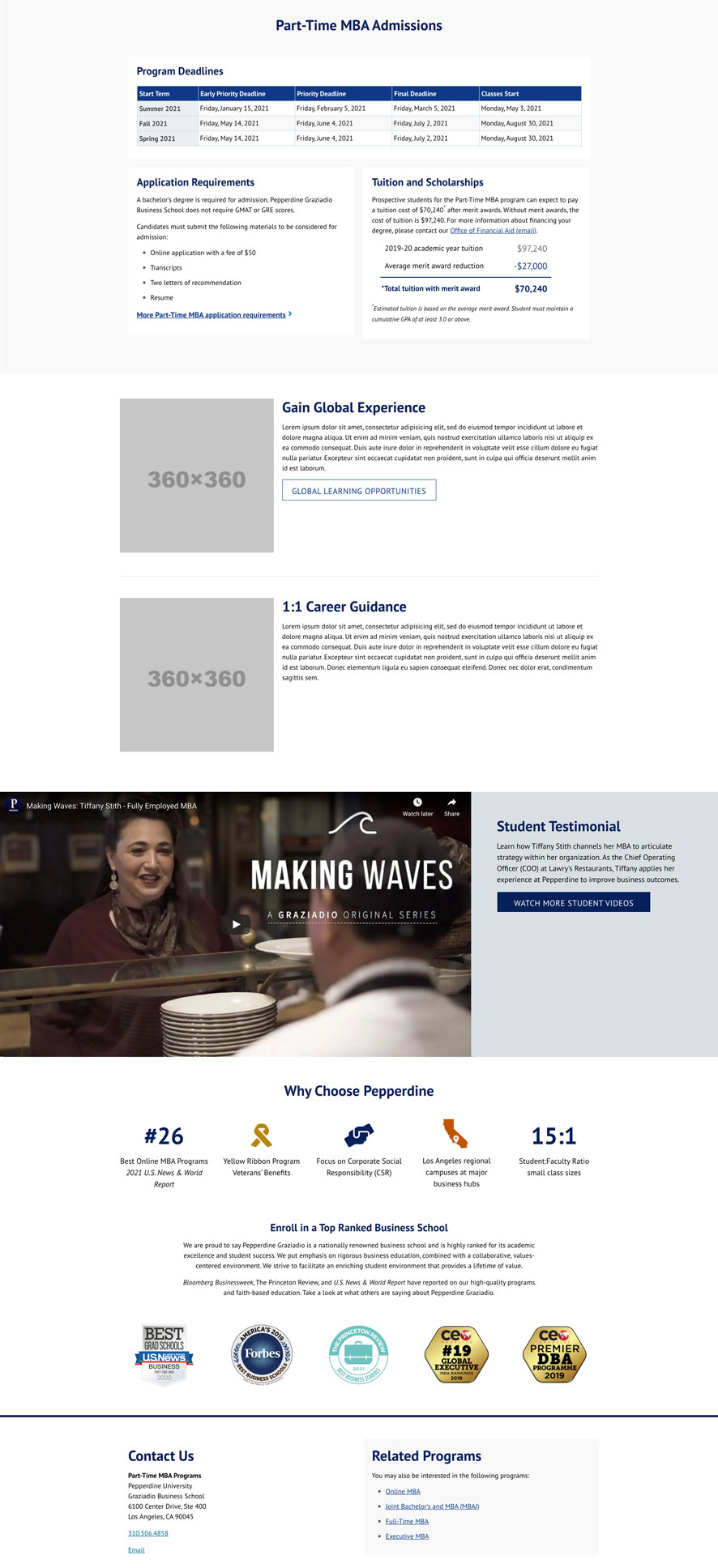
New Program Page
please submit an IMC project request to have a new program page to be made.
How to Edit a Program Page
Program pages can be edited much like the standard page template, except instead of widget regions there are nine rows that can be enabled or disabled for use and their is an option to choose the background row edge-to-edge color. See general editing instructions for the basics.
Page Properties
This is where you can select how many rows (content sections) your page needs and which ones to show or hide.
- Page/content title (H1)
- Meta description
- Meta title
- Impact Image widget
- Display Rows 1-9 (some rows are required)
WYSIWYG Editing
Once the rows are selected to show, you’ll have individual edit buttons to edit inside each section. Plan your content hierarchy and grid layouts before adding content and test preview content in desktop, tablet, and mobile views.
- Click on a row content edit button
- Add snippets to create content
- TIP: Add your grid snippet first then any background or border snippets, then any text styling snippets last.
- All old snippets are available:
- Grids
- Contact
- CTA button
- Testimonial
- Toggles
- Tabs (horizontal)
- Youtube video
- New Program snippets available:
- Box with Shading or Border
- Event Rows (date)
- Financial Aid $ Table
- Icons
- Middle Block of Text
- Side tabs
- Single Date (centered)
- Stat Text
- Testimonial v2 (can edit heading + link image)
- Program description
- Row 1* has a white background with top blue divider line (required row)
- Row 2 has a blue-grey background
- Row 3* has a dark blue and is a custom setup by IMC (required row)
- submit a request to IMC for content changes
- Row 4 has a light grey background
- Row 5 has a white background
- Row 6 has a mid-shade background the ⅔ + ⅓ video snippet initially setup for you
- submit a request to IMC for video to be on a different row
- Regular links are not allowed in this row (due to accessibility color contrast, use CTA buttons instead)
- Row 7 has a light grey background
- Row 8 has a white background
- Row 9* has a white background with top blue divider line and the contact and related programs snippet initially setup (required row)
- Save and Publish (see Basic Steps to Publish Content).
* Required
Review and Edit:
- To edit the page check-out the page and click the Edit Content button.
- To edit the widgets and content areas go to the Properties Button.
- Save and Publish